Graticule tick marks can be displayed at regular intervals along the graticule lines.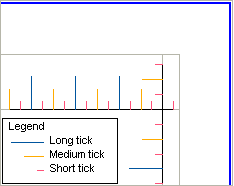
Graticule tick marks can be displayed at regular intervals along the graticule lines.
Each tick measures the current geographic position of the mark on a chart or map.
Properties
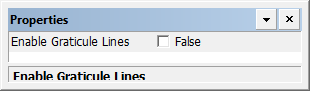
Property | Description |
|---|---|
Enable Graticule Lines | True: Display graticule ticks. False: Do not display graticule ticks. |
There are three different types of graticule tick: Short, medium, and long. They all have the same properties.
Properties
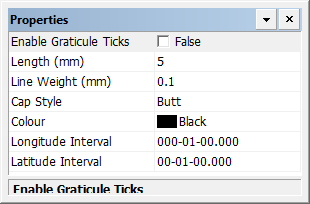
Property | Description |
|---|---|
Enable Graticule Ticks | True: Display graticule ticks. False: Do not display graticule ticks. |
Length | The length of the ticks in millimetres at map scale. Type a value. |
Line weight | The thickness of the graticule ticks in millimetres at map scale. Type a value. |
Cap style | The end style of the ticks. Styles are butt, projected, and round. Select from the list. |
Colour | The colour of the graticule ticks. Click the button and choose a colour from the colour picker. |
Longitude Interval | Interval between graticule ticks. Type a value. |
Latitude Interval | Interval between graticule ticks. Type a value. |