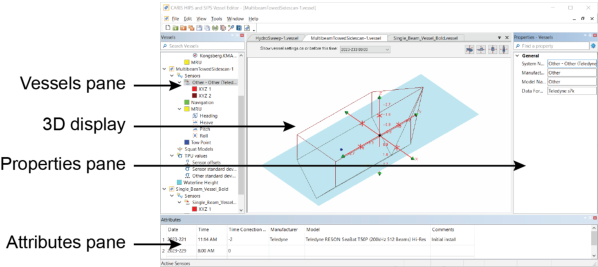
Vessel Editor is launched from the HIPS and SIPS interface. The image below displays the general interface of Vessel Editor
Vessel Editor has several windows that display the parts of the opened vessels:
• Vessels Window: A tree that displays all of the open vessels and their components.
• 3D Display: A 3D wire-frame diagram of the vessel selected in the Vessel window and the locations of its components. If multiple vessels are open, they are shown in separate tabs.
• Properties Window: The properties of the vessel or component selected in the Vessel window.
• Attributes Window: The attributes of the vessel or component selected in the Vessel window. Unlike properties, attributes are assumed to change over time, so they are recorded in a time-stamped table.