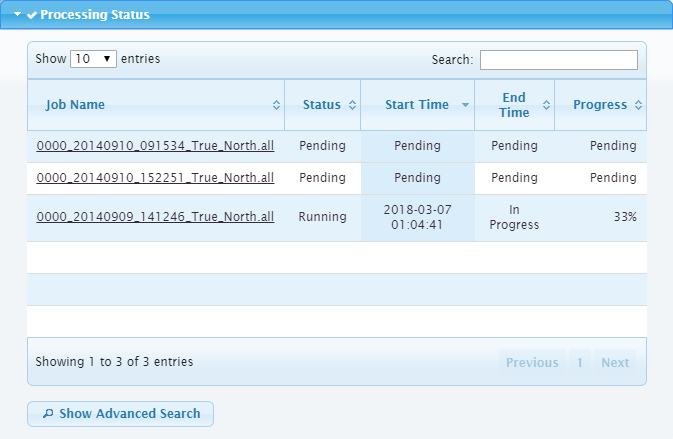
The Processing Status panel provides a list of all jobs being processed by the Onboard service and the current status of each job. A job is a single data file that is processed according to the process model file uploaded to the file monitor.
The panel itself has a status indicator which changes based on the state of the panel and the status of the jobs being processed.
• Before Onboard has been configured, the status indicator is a square "Stop" button, indicating that it is not ready to be run.
• Once a file monitor has been configured and started, the indicator changes to a check mark.
• As jobs are processed, it will remain a check mark as long as all jobs complete successfully.
• If a job fails or completes but triggers warnings, the indicator changes back to a square.
To return the status indicator to a check mark after there have been warnings or errors, the failed jobs must be acknowledged. See Job Details for information on this process.
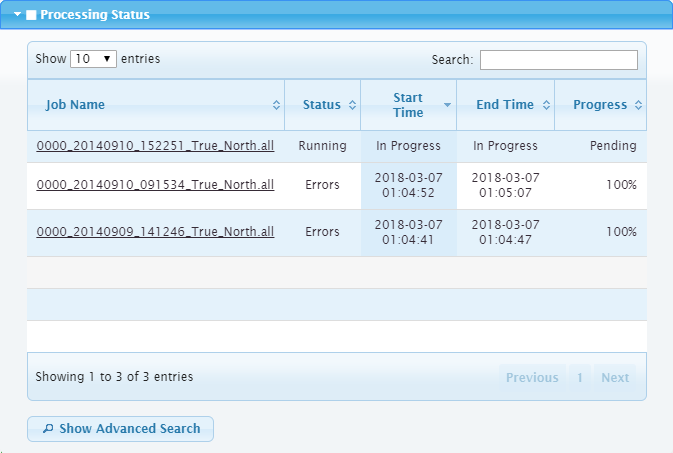
Each time the Onboard service detects a file in the monitor directory, the table will update accordingly to display any new jobs.
The columns of the jobs list indicate:
• the Name of the data file,
• the Status of the processing,
• the Start Time, in Universal Time Coordinated (UTC),
• the End Time, in UTC, and
• the Progress, in per cent.
The list can be sorted by any of the columns by clicking the column heading. An arrow will be displayed beside the heading name indicating the sort order, which is either ascending or descending. Clicking the heading a second time will switch the sort order.
The list displays a maximum of 10 jobs by default. This limit can be changed using the Show <#> entries drop-down list in the top‑left corner of the panel. Navigation options appear at the bottom of the page when the number of jobs exceeds the limit and more pages are needed.
If the number of jobs being processed grows to a large number, the search functions provided in the Processing Status panel can be used to limit the list. See Searching the Job Database for information on these tools.
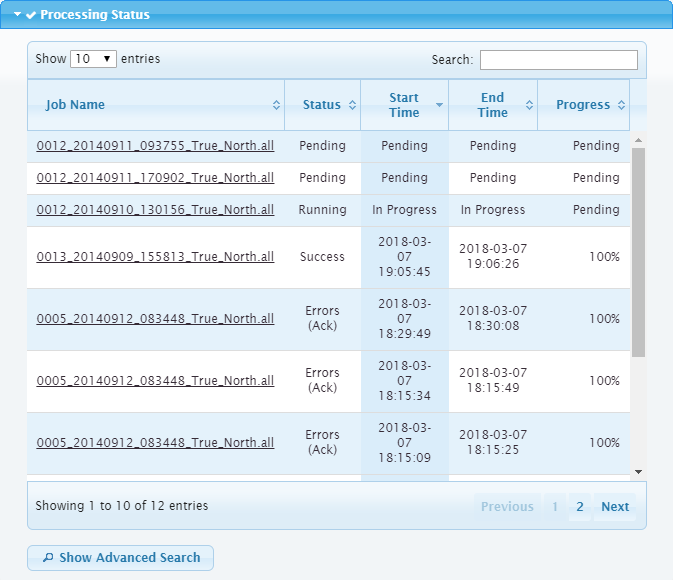
Each job in the list is assigned a status value. The possible values are:
Status | Behaviour |
Pending | The process is waiting to be run. |
Running | The process is currently running. |
Success | The process completed successfully. |
Warning | The job completed successfully, but warnings were issued. For example, if multiple lines were processed in a single job, but not all lines processed successfully, the job would still complete but the messages for the processes will identify lines that failed. |
Errors | Errors were encountered and the job did not complete successfully. For example, a gridding process may fail if the input data is not within the extents specified in the process model file. |
Warning/Errors (Ack.) | A job that either has warnings or failed to complete has been acknowledged in the Job Details dialog box. See Job Details for more information. |
Clicking a job name in the list will open a Job Details dialog box with more information about the job being processed. See Job Details for more information on this dialog box.
A failed job suggests that configuration settings may need to be adjusted. Once changes are made, failed jobs can be reprocessed. See Reprocessing Jobs for information.
A successful job will generate an output product or HIPS project in the Destination location specified in the process model file. If the files are going to be moved to different working directories, the product registry must be cleared to unlock the files. The product registry is cleared automatically if the Onboard service is stopped or you can manually unlock the files by deleting the coverage display settings for the product. See Monitoring Onboard for more information on this.
If no data files are being processed, check the following:
• Are the directory locations correct?
• Has the license been entered correctly?
• Have unprocessed survey files been placed in the directory specified as the Monitor Directory?
• Does filter criteria match the data you are processing?
• Has the correct Process Model File been submitted?
• Is the vessel file specified in the process model file in the specified folder?
• Is the status of the Recursive Directory Search correct?