 CARIS HPD Paper Chart Editor
 CARIS HPD Paper Chart Editor
CARIS HPD Product Editor
CARIS HPD Source Editor
Key | <Ctrl>+click (Display window) |
Pop-up | Insert Point (Coordinates window) |
Insert a new point or vertex on an edge. You can do this in the Display window or the Coordinates window.
Related commands:
• • • • • • | • • • • • |
Procedure: Display window
In the Display window:
1. Select the feature.
2. Select the Edit Mode command.
3. Move the cursor over the edge to a point between existing vertices.
4. Press and hold <Ctrl>.
The cursor changes (  ).
).
5. Click.
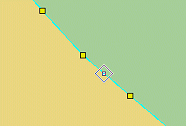
A vertex is added at the selected location.
Procedure: Coordinates window
In the Coordinates window:
1. Right-click on a row and select Insert Point from the pop-up menu.
2. Type the coordinates of the new point.
3. Press <Enter>
The edge is redrawn with the new point.