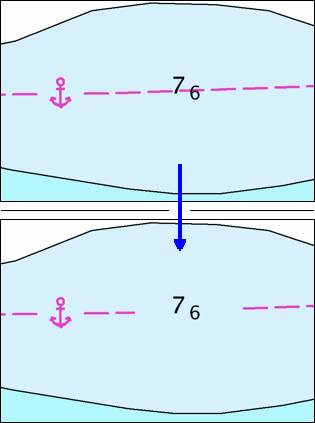
Masking hides segments of features or entire features to improve chart readability. For example, a line segment overlaps a sounding so that the sounding is obscured. Masking hides that part of the line that passes behind the sounding. See below.
Masked features are still part of the display, even if not visible, and can still be selected or unmasked.
There are four masking methods:
• vector dynamic masking
• raster dynamic masking
• interactive masking commands
• setting masking attributes
This chapter describes the files required and settings necessary for raster and vector dynamic masking.
Raster masking and vector masking cannot be combined. The chart presentation ID and panel presentation ID cannot refer to different portrayals. This is related to how masking is applied to features when the chart is drawn. Only one masking method can be handled for all panels on the chart. |