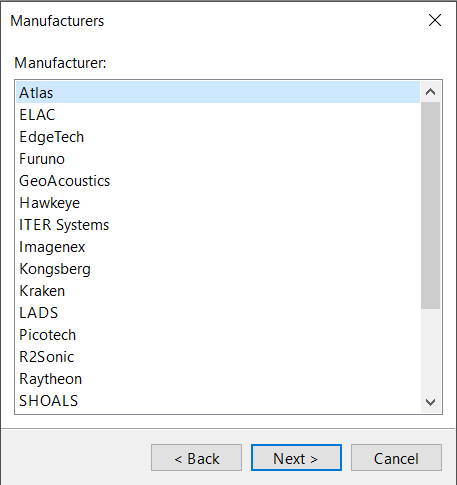
If you selected one of the multibeam options in the previous step, the New Vessel wizard displays a series of pages where you can select the manufacturer, model, and data format of the sonar system.
To set the manufacturer, model, and data format:
1. Select the manufacturer of the sonar instrument in the Manufacturer list.
If the manufacturer is not listed, select Other.
2. Click Next.
The Models page appears.
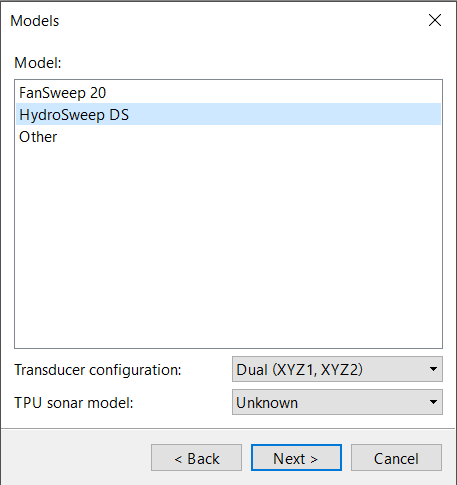
3. Select the model of the sonar system in the Model list.
If the model is not listed, select Other.
4. Select the configuration of your sonar system in the Transducer Configuration list.
Depending on the model of sonar system, one or more of the following configurations are available:
• Single Transmitter with Single Receiver: The system has one independent transmitter and one independent receiver.
• Single: The system has one combined transmitter/receiver.
• Dual: The system has two combined transmitters/receivers.
• Dual Transmitter with Dual Receiver: The system has two independent transmitters and two independent receivers.
Independent transmitters and receivers are contained in separate housings, so they can be mounted separately on the vessel. Conversely, a combined transmitter/receiver contains both a transmitter and a receiver in a single housing so they cannot be mounted separately.
5. Select the total propagated uncertainty (TPU) model to be used for the sonar system from the TPU Sonar Model list.
If the TPU model is not listed, select Unknown. This may affect the TPU calculation in the HIPS Georeference Bathymetry process, depending on how Sonar Source setting:
• If Sonar Source is set to Vessel, the process will use the TPU model specified (if the model is set to Unknown, it will use all zeros for the sonar part of the TPU computation).
• If Sonar Source is set to Realtime and the sonar data contains realtime uncertainties, the process will calculate the TPU using the realtime uncertainties.
6. Click Next.
The Formats page appears.
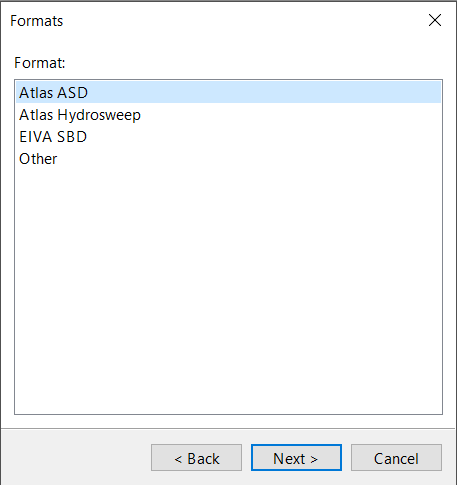
7. Select the data format that the bathymetry sensor produces from the Format list.
If the data format is not listed, select Other.
8. Click Next.
The New Vessel wizard goes to the Other Settings page.