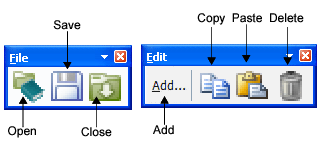
The two Catalogue Editor toolbars contain tools to edit the open catalogue.
The File toolbar contains commands to Open, Save and Close catalogues, e.g., *.catalogue or *.hips files.
The Edit toolbar contains tools to Add, Copy, Paste and Delete attribute and object features in the editor.
Use the Add command:
• to add an attribute to the list of available Attributes.
• to add an object to the list of Objects.
• to assign an attribute to a specific object.
These commands can also be activated from the Menu bar.
When a .hips file is opened in Catalogue Editor using File > Open, any attributes and objects added to the catalogue will only be added to that existing project. This is also true when the file is opened by selecting a line in HIPS and then opening Catalogue Editor. |