 CARIS HPD Paper Chart Editor
 CARIS HPD Paper Chart Editor
CARIS Paper Chart Composer
Menu | Tools > Editors > Template |
CARIS Template Editor is an auxiliary application for designing the following chart components:
• borders
• scale bars
• projected grids
• subsidiary graduations.
These components can later be inserted into a panel.
Template Editor is opened from within Paper Chart Editor or Paper Chart Composer. When a new or modified component is saved in Template Editor, it is available in Paper Chart Editor and Paper Chart Composer.
In this example, two new borders named Main and Inset are created in Template Editor:
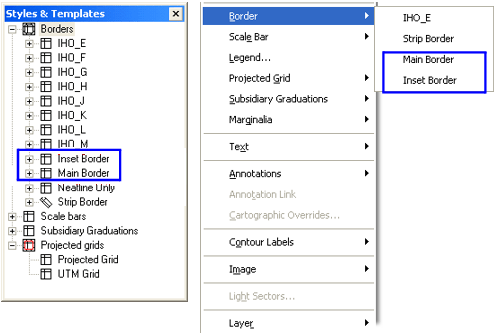
When the borders are saved and Template Editor is closed, both borders are listed in the Create Border command in Paper Chart Editor and Paper Chart Composer
If a chart has multiple panels, make sure you select the correct panel layer before running Template Editor. Template Editor inherits the coordinate system from the selected panel.
Related commands:
• • | • • |
Procedure
1. Select the Panel data layer to which the feature will be added.
2. Select the Template Editor command.
Template Editor is displayed.
For more information, see the Template Editor help.