 CARIS HPD Paper Chart Editor
 CARIS HPD Paper Chart Editor
CARIS Paper Chart Composer
Menu | Create > Subsidiary Graduations > [Subsidiary Graduations] |
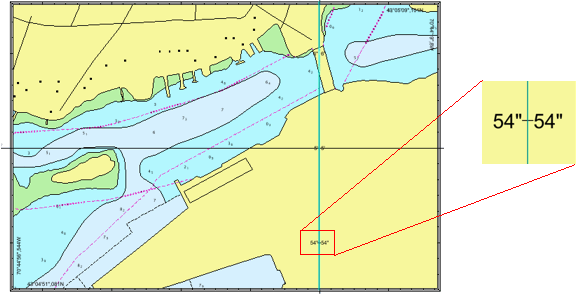
Place a line containing graduations within a panel area.
When adding subsidiary graduations, Paper Chart Editor computes the spacing between the tick lines according to the properties of the active panel.
The subsidiary graduation line is defined in the Template Editor.
An example of subsidiary graduations is shown below.
Related commands:
• • • • | • • • |
Procedure
1. In the Layers window, select a Panel data layer.
2. Select the Create Subsidiary Graduations command and choose a graduation.
The cursor changes ( ).
).
3. Position and click the mouse at the start of the line.
4. Click at the end of the line.
A subsidiary graduation line is drawn between the two points.