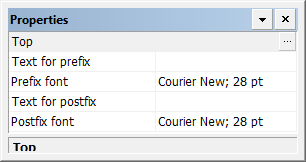
All labels have the same properties.
Properties
Property | Description |
|---|---|
Type | Set the properties for the specific label type. Click browse (...) and set the values in the Annotations dialog box. The label settings are shown in the Preview box. • Digits • Left: The number of digits to the left of the decimal point. • Right: The number of digits to the right of the decimal point. • Thousands Separator: The character used to separate values into groups of thousands. • Font: Click Font to select font type, size and other properties for the labels. • Position • Position to Neatline: Select inside or outside the neatline. • Offset from Neatline: The distance between the annotation and the neatline in millimetres. • Position to Grid: Align each top and bottom annotation to the left, centre or right of the grid lines. Align each left and right annotation above, centre, or below the grid lines. • Offset from gridline: The distance between the annotation and the grid line in millimetres. • Orientation: Orient the annotations to be parallel to or intersect with the grid lines. • Relative to: Set the orientation of the annotation relative to the grid or to the panel. • Angle: The angle of the annotation. |
Text for prefix | A prefix to be added to the label. Type a value. |
Prefix font | The typeface and size for the prefix text. Click browse (...) and set the font, style, and size of the text |
Text for postfix | Postfix to be added to the label. Type a value. |
Postfix font | The typeface and size for the postfix text. Click browse (...) and set the font, style, and size of the text |