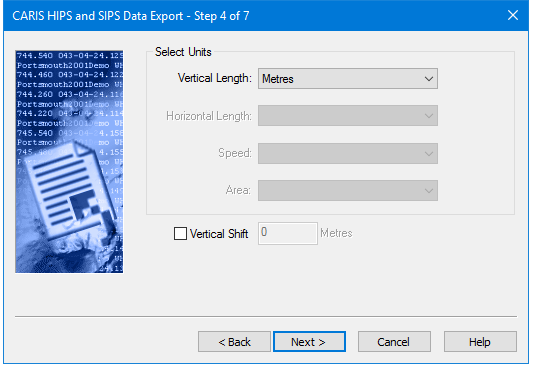
If you selected attributes which have values expressed in units of measure, the Select Units dialog box will be displayed.
The unit files are activated by the type of attribute selected at the previous step. Units which are not available to the selected attributes will be greyed out.
Require Vertical Length units | Require Horizontal Length units |
|---|---|
Depth TPU | Position TPU |
Tide | Northing |
Depth (Observed) | Easting |
Depth (Processed) | |
Elevation | |
Primary Depth | |
Secondary Depth |
Units are set in this dialog box:
Procedure
1. Select a unit of length from the Vertical Length or Horizontal Length lists.
2. Click the Vertical Shift check box to activate the value field.
3. Type the amount of static shift to be applied.
4. Click Next to set a Coordinate Reference System