The web map viewer displays data in real-time as jobs are processed. This can be in the form of a raster coverage or tracklines. As new files are processed by the Onboard service, the display in the map viewer will be updated.
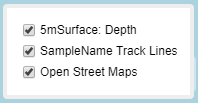
A layers list is provided for the map viewer that can be used to turn on or off the data layers included in the display.
This list is populated with the current base map, either OpenStreetMap or a locally installed base map, as well as a coverage for each product being generated for the jobs being processed by the Onboard service that are set to be shared in the process model file. Products are set to be shared through output and destination parameters in the process model processes. In these fields, the Shared option must be enabled and the Port option must be populated with the port number being used to communicate with the Onboard service.
1. Hover the mouse cursor over the layers list button to display the list.
2. Click the check boxes to turn layers on or off.
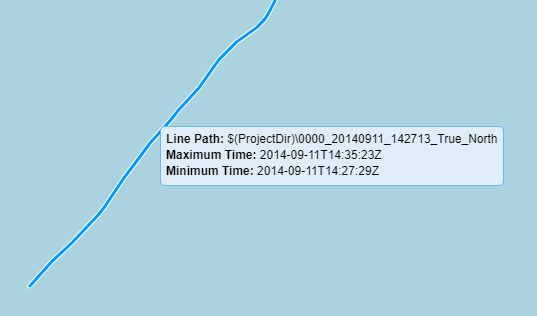
Tracklines in the display can be selected in the view as they become available. The most recent track line processed will be displayed in yellow, making it easy to identify when a new track line is available. The name and path to the line data and the creation data values for the line are displayed when the line is selected. The resulting trackline data files are only compatible with HIPS 11.0 and later; they cannot be opened in earlier versions of HIPS.