Teledyne CARIS can be contacted regarding support issues by email at support@caris.com. The following information will enable support personnel to respond as quickly as possible:
• Contact name
• Phone number
• Log Files (See Log Files for more information)
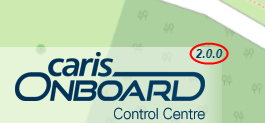
• Version number for Control Centre. (See Version Numbers for the location of the version number.)
• Description of the problem, including any procedures or data files being processed at the time of a problem.
You will need to describe any problems you are experiencing, and send log files and version numbers. Data files may also be useful in analysing problems.
Log Files
Log files are generated to record events and errors in the Control Centre and the jobs being processed by the Onboard service. All log files are located in:
C:\ProgramData\CARIS\Onboard\<version>\Profile\CARISOnboard\Logs
Separate log files are created for the Onboard Service each time the service is started. These files are created with the current date and time as the file name, as seen here (carisservices_YYYY‑MM‑DD_HH‑MM‑SS.log).
Events from Control Centre that may trigger a log file entry include such things as configuration changes and errors. An entry is also recorded in the log file for each job processed in the Control Centre. The content of the log will include relevant information for any errors that might occur during processing.
The Logs directory can be zipped and sent to Teledyne CARIS Customer Services, if needed.
Version Numbers
Version numbers can be very important if you wish to communicate with Teledyne CARIS about CARIS Onboard. The version number of the Control Centre is displayed in the bottom-left corner of the application as part of the logo.