Menu | File > ASCII Info File Editor |
Tool |
|
Menu | File > ASCII Info File Editor |
Tool |
|
Two sample format information files are located in C:\Program Files\CARIS\HIPS\<version>\Template.
For the structure of an info file, see INFO file.
Related Command:
Create a Format Information File
Procedure:
To edit a format information file:
1. Launch the ASCII Info File Editor.
2. Click the Open button  and select a format information file to edit.
The Editor will display the columns and values for the selected file.
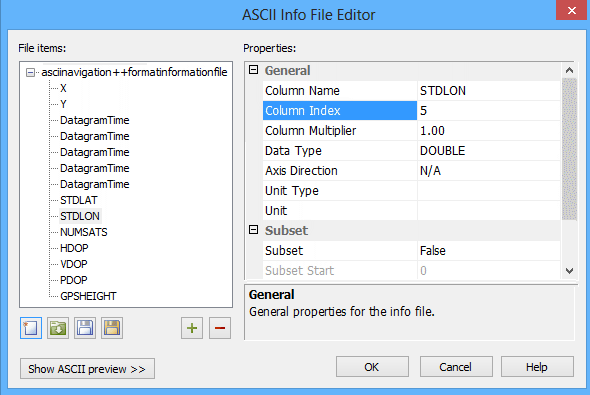
3. Select a column attribute from the File items list.
4. [Optional] Add or remove columns included in the File items list:
• Use the Add button to add new items to the list.
• Use the Remove button to remove selected items from the list.
The Properties control will be updated with values for the selected column.
5. Adjust the properties for the column.
6. Repeat steps 6 and 7 for each column as needed.
To see the contents of the ASCII file:
7. Click Show ASCII preview.
8. Click the ASCII data Browse button (...) and navigate to open the source data for the format information file.
9. Click Save to save the changes to the open file.
OR
Click Save As and define a name and location to save the changes to a new file.
