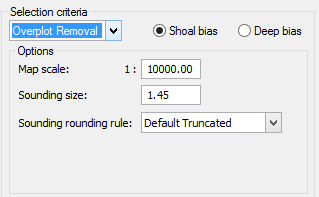
If you choose the Overplot Removal option from the Selection Criteria list, the dialog box is refreshed to show the following options.
Overplotting occurs when soundings overlap or are so close together that they are plotted on top of each other. Two soundings with depths of 11 and 22 might look like 1212 if they were overplotted.
Overplot Removal calculates how big the displayed sounding will be, and places a buffer zone around each sounding, based on sounding size, then suppresses either the deepest or shoalest soundings which overlap these buffer zones.
5. Type the map scale for the selected soundings (default is 1:10000).
6. Type the size of the soundings (that you want them to appear in the Display window) in the Sounding Size field.
7. Select a Sounding Rounding Rule from the drop-down list. (See Sounding Rounding in the Support Files Guide.)
8. Click Next.