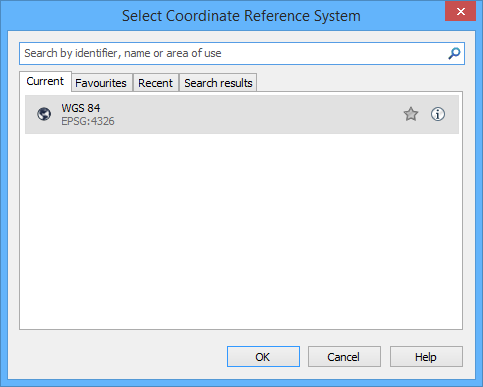
A coordinate reference system (CRS) is used to appropriately display geographic and hydrographic data in CARIS applications. CRS information can be viewed in the Select Coordinate Reference System dialog box.
Information in the dialog box is read from a interrelated set of files that control coordinate information.
These files are located in C:\Program Files\CARIS\<application>\.
<version>\system
Many of these files can be copied and modified. The application can then be pointed to the modified files. The following table lists the files responsible for projections and reprojections in CARIS.
File | Description |
| A database file that contains EPSG coordinate reference systems and coordinate transformations developed by the International Association of Oil and GAS Producers (IOGP). CARIS supports the following CRS types from the EPSG database: Projected, Geodetic, Horizontal Compound, and Engineering. This file should never be modified. For more information on available Coordinate Reference Systems and transformations, see the IOGP website at |
| The map definition file contains a list of projections and definitions not included in epsg.db. This file can be copied and modified. Do not modify the original file. For more information, see Map Definition File. |
| The datum file contains a list of ellipsoid parameters (semi-axes; X, Y, Z) and coordinate transformation parameters (shifts from and rotations about the geocentre) required to make the axis of the ellipsoid coincide with the WGS 84 ellipsoid. This file uses a Coordinate Frame Rotation transformation for on-the-fly reprojections. The file can be copied and modified. Do not modify the original file. For more information, see Datum File. |
| The CRS binding file associates an EPSG CRS with a coordinate transformation methodology. The coordinate transformations can be in epsg.db or datum.dat. For more information, see CRS Binding File. |
grid shift datum transformations | Grid shift datum transformations are a group of files to perform datum transformations. All system files distributed with the application are located in this folder:
Additional grid shift files to support other transformations can also be referenced using the Grid Shift Transformations setting in Tools > Options. For more information, see Grid Transformations. |