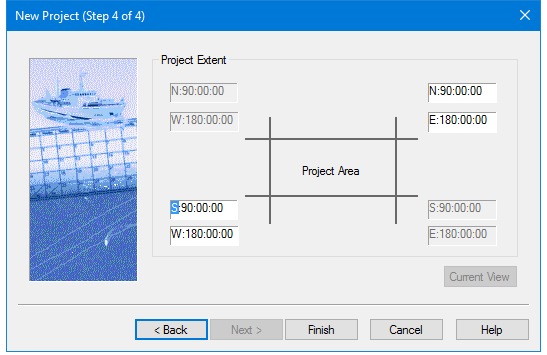
Use this dialog box to set geographic coordinates (degrees-minutes-seconds) to define the extent of the project area. When finished the new project will be created with Project-Vessel-Day folders according to the options selected.
By default, the project extent is set to the entire area of the earth.
The geographic coordinates of a currently open project can be applied to the new project, at the zoom level currently displayed in the Display window, using the Current View button.
Procedure
Manually enter the geographic coordinates for the project area:
1. Select a project extent box (e.g., the lower left coordinate) and type the coordinates, or
select the degree, minutes or second field box, and use your arrow keys to change the values.
2. Click Finish to complete the creation of the new project.