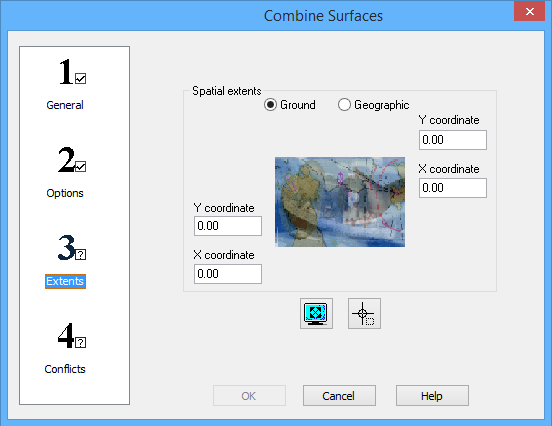
Step 3: Extents of the Combine Surfaces wizard is used to define the extents of the data to be included in the combined surface.
Interface
The following is the third step of the Combine Surfaces wizard.
Options | Description |
Ground/Geographic | The coordinate type for the extents of the combined surface. |
X/Y coordinates | Manually define the coordinates for the extents of the combined surface. The field names change based on the selected coordinate type. 1. Enter the lower-left and upper-right coordinates of the extents in the relevant fields. |
Current extents | Click to use the coordinates of the current view in the Display window as the extents of the combined surface. |
Select extents | Click to define the extents of the combined surface by drawing a bounding box around the relevant data of the input surfaces in the Display window. |
Procedure
1. Define the extents for the combined surface using one of the methods available.
2. Select step 4 on the left to continue to Combine Surfaces: Step 4 Conflicts.