Menu | File > New > Subset Tiles |
Subset Tiles can be used to track the process of examining and cleaning areas within the survey project. Each tile within a Subset Tile layer has one of three tracking settings: Incomplete, Partially Complete, or Completed (see Tracking Cleaning Status).
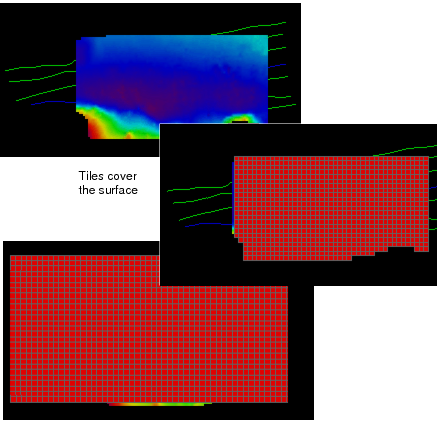
The extent of the subset tile area can be determined by setting the tiles to cover:
• the extents of the open data, or
• the area of an open surface, or
• the area covered by an open ENC *.000 file.
The option to cover the extent of the data is useful if you are cleaning newly acquired data with Subset Editor, while the area is being surveyed. You would not have to create a new subset tile layer when data is added to your project.
To create subset tiles for tracking:
1. Select the New Subset Tiles command.
The New Subset Tiles dialog box is displayed.
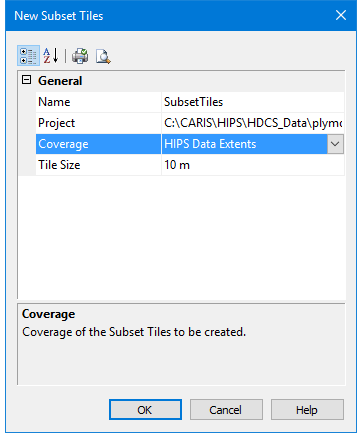
In the Name field, type a name for the subset tiles layer.
The drop-down list in the Project field will display the names of the currently open projects.
2. Select the project to be tiled from the drop-down list.
The Coverage field gives you the option of tiling the entire extents of the open data, or limiting the subset tile area to the selected surface.
3. Select either HIPS Data Extents or a surface by name from the drop- down list in the Coverage field.
4. Type a value for the size of a tile.
5. Click OK.
A subset tile layer is displayed, and listed by name in the Layers window. The tile layer is saved to the project file.