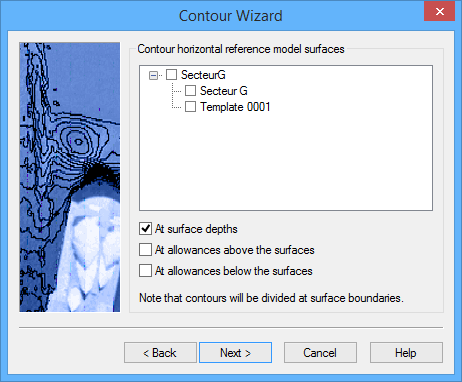
The Contour Wizard - Reference Model Surfaces step is displayed.
This step is used to select the templates containing the surfaces that will be used as a reference. All complete templates (key depths defined) that are open at the time are listed and available for selection. You can select or deselect all templates listed by clicking the check box for each reference model.
1. Select reference models and/or individual templates from the list.
By default, the At surface depths check box is selected and contours will be created within each flat surface in the selected template at the surface depth. Selecting the other check boxes will cause contours to be created for those values for each surface as well.
2. [Optional] Select or deselect the check box(es) next to At surface depths, At allowances above the surfaces, and/or At allowances below the surfaces.
3. Click Next.
Go to Contour Wizard - Output Options for the next step in the wizard.