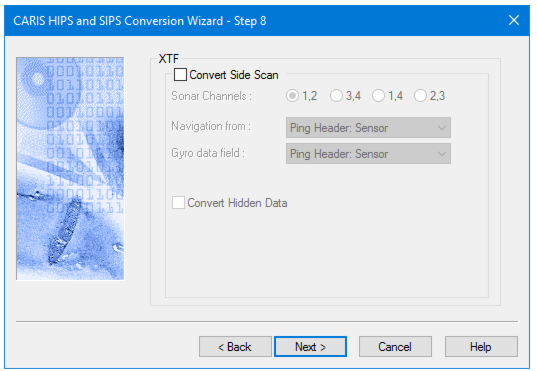
If you do not want to convert side scan data, click Next to go to further options.
Note: Contact records created in Triton ISIS are also imported into HIPS when associated XTF data is imported. |
To convert side scan data:
3. Click the Convert Side Scan check box.
4. Select one of four Sonar Channels pairs by clicking its radio button.
5. From the Navigation from list, select the source for reading the data for the towfish.
6. Select the source for reading data an options from the Gyro data field list.
The XTF format flags any pings repeated over an area as hidden data.
7. Select the Convert Hidden Data check box to include this data type in the SIPS project.
8. Click Next to set layback options.