Feature Editing : Commands : Utilities : Utilities File
 

Utilities File

The utilities file contains the following parameters:

name of the utility

tooltip text

file type to be opened

path and name of the file

path and name of the external application

path and name of the file being re-opened in CARIS

project identifier

path and name of the output file

The utilities file can contain more than one macro.

Any process that can be run from the command line can be run from the utilities file.

This example utility file contains three utilities:

Open selection in Easy View: Opens the selection in CARIS Easy View™.

Open a copy of the selection: Uses a Windows command to copy the selected features to a file then open it in a layer called Temp/CopiedFeature.

List folder contents: Lists the files in the current working directory in the Output window.

<Utilities>


  <Utility Version="1">

    <Name>Open selection in Easy View</Name>

    <Tooltip>Open the selection and superselection in Easy View</Tooltip>

    <Command>"C:\Program Files\CARIS\Easy View\4.1\Bin\CARISEasyView.exe"        %SelectionFile% %SuperSelectionFile%</Command>

    <SelectionFile>

      <FileType>hob</FileType>

      <FileName>AnyName.hob</FileName>

      <FilePath>D:\Temp</FilePath>

    </SelectionFile>

    <SuperSelectionFile>

      <FileType>gml</FileType>

      <FileName>AnyName.gml</FileName>

      <FilePath>D:\Temp</FilePath>

    </SuperSelectionFile>

  </Utility>


  <Utility Version="1">

    <Name>Open a copy of the selection</Name>

    <Tooltip>Saves selection, uses the OS to copy it, and opens the copy</Tooltip>

    <Command>cmd.exe /c copy %SelectionFile% %ReturnFile%</Command>

    <SelectionFile>

      <FileType>hob</FileType>

      <FileName>AnyName.hob</FileName>

      <FilePath>D:\Temp</FilePath>

    </SelectionFile>

    <ReturnFile>

      <FileName>CopiedFeature.hob</FileName>

      <FilePath>D:\Temp</FilePath>

    </ReturnFile>

  </Utility>


  <Utility Version="1">

    <Name>List folder contents</Name>

    <Tooltip>List current working directory in the output window</Tooltip>

    <Command>cmd.exe /c dir/w</Command>

    <CommandOutput>

      <OutputWindow>true</OutputWindow>

    </CommandOutput>

  </Utility>


</Utilities>

This table describes the tags in a utilities file.

Tag

Parent

Children

Description

<Utilities>

None

<Utility Version=”1”>

The top-level tag. A container for all other tags in the file.

<Utility Version=”1”>

<Utilities>

<Name>

<Tooltip>

<Command>

<CommandBlock>

<CommandOutput>

<SelectionFile>

<SuperselectionFile>

<ReturnFile>

An individual utility must be enclosed in the Utility tag. The Version attribute is required but is always set to 1.

All tags except <Utilities> must be inside this tag.

<Name>

<Utility Version=”1”>

None

The name of the utility. This is displayed in the list on the Utilities toolbar.

Example:

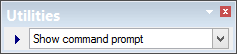
<Name>Show command prompt</Name>

<Tooltip>

<Utility Version=”1”>

None

A brief description of the utility; displayed when the cursor is positioned over the Utilities toolbar.

<Command>

<Utility Version=”1”>

None

The external process to be run, including any necessary parameters.

Parameters are:

%SelectionFile% - container for the selection file. The selection will be exported by the current application.

%Superselection% - container for the superselection file. The superselection will be exported by the current application.

%ReturnFile% - container for the return file. The current application will open this file once the external process is complete

Example

<Command>cmd.exe /c copy %SelectionFile% %ReturnFile%</Command>

<CommandBlock>

<Utility Version=”1”>

None

Choose what happens to the application while the external process is running. Can be:

True: The application is blocked (waits) until the external process is finished.

False: The application continues while the external process runs.

<CommandOutput>

<Utility Version=”1”>

<OutputFile>

<OutputWindow>

A container for child elements that define how to display text produced by the external process.

<OutputFile>

<CommandOutput>

None

[Optional] Complete path and name of an output file. This file, if created, shows the results of the process.

<OutputWindow>

<CommandOutput>

None

Display the results of the process in the Output window.

<SelectionFile>

<Utility Version=”1”>

<FileType>

<FileName>

<FilePath>

A container for child elements that describe how to pass a selection to an external process via a file.

<SuperselectionFile>

<Utility Version=”1”>

<FileType>

<FileName>

<FilePath>

A container for child elements that describe how to pass a superselection to an external process via a file.

<ReturnFile>

<Utility Version=”1”>

<FileType>

<FileName>

<FilePath>

A container for child elements that describe how to return a selection or superselection from an external process via a file.

<FileType>

<SelectionFile>

<SuperselectionFile>

<ReturnFile>

None

This can be HOB, GML, SHP

<FileName>

<SelectionFile>

<SuperselectionFile>

<ReturnFile>

None

The file name and extension of the selection, superselection, or return file. This tag is optional. A file name is generated if it is not used.

<FilePath>

<SelectionFile>

<SuperselectionFile>

<ReturnFile>

None

The complete file path of the selection, superselection, or return file.