Menu | Tools > Editors > Side Scan > Altitude > Manual Digitize |
Tool |
|
Menu | Tools > Editors > Side Scan > Altitude > Manual Digitize |
Tool |
|
Drag the cursor along the first bottom return. As you digitize one side, the other side is automatically mirrored.
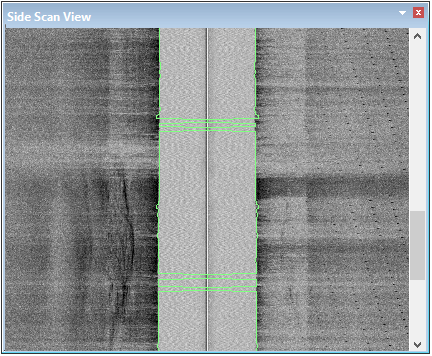
At any time during the digitizing process, you can remove the digitizing using the Clear tool to remove the digitization.
Menu | Tools > Editors > Side Scan > Altitude > Clear |
Tool |
|
Pop-up | Clear Altitude |
Procedure: Manual digitizing
1. Select the Manual Digitize command.
2. Set Properties options.
3. Press and hold the mouse button and drag the cursor along one side of the bottom contact.
You can also use the space bar to move along the track line while in digitizing mode. |
As you drag the cursor, a mirrored line is drawn in the window along both sides of the bottom.
4. De-select the Manual Digitize tool when finished.

