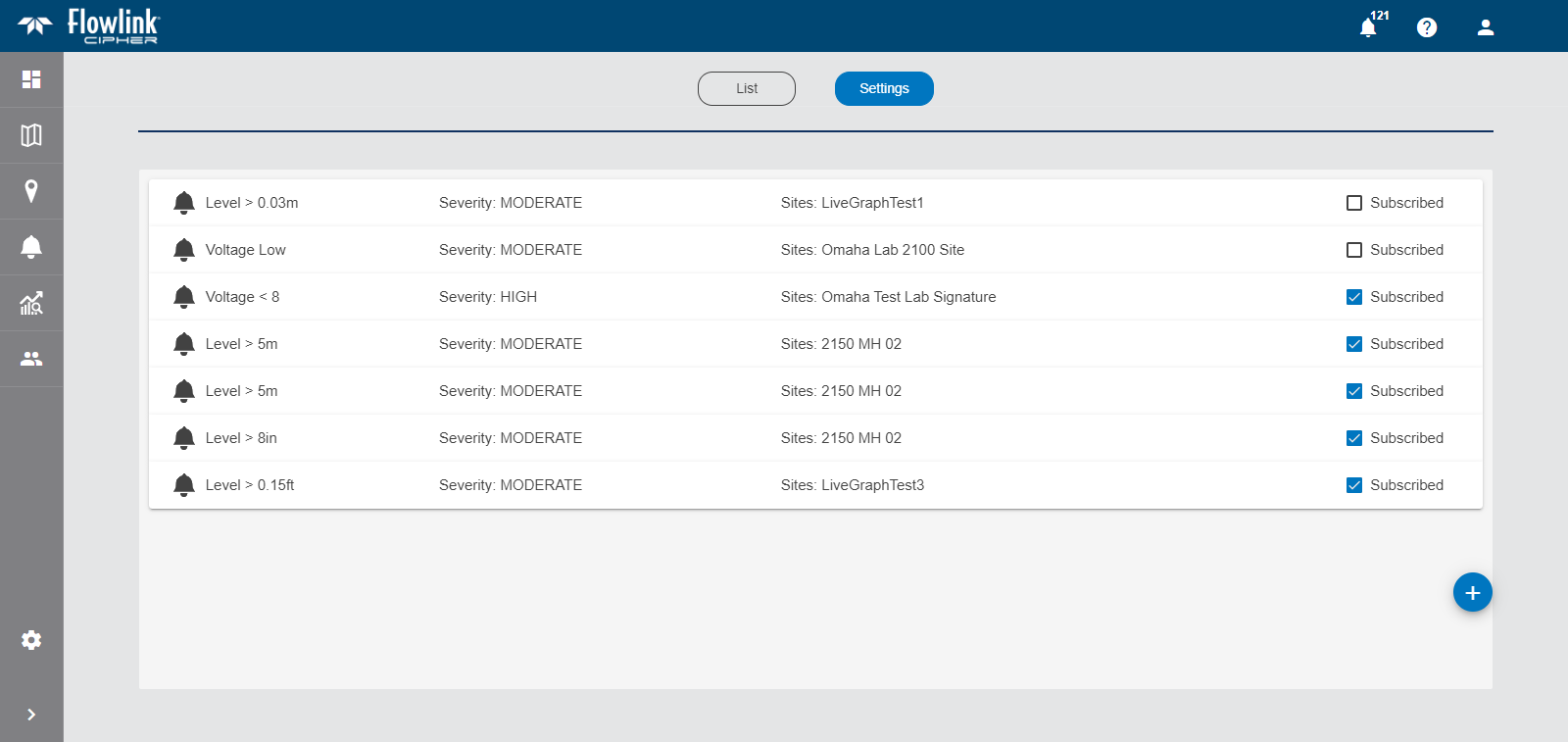
The Alarm Settings screen provides a list of all user-defined alarms.
By default, the alarms in the list are collapsed, showing only the following information:
• Alarm name: The name given to alarm.
• Severity: The severity of the alarm. The possible options include low, moderate or high.
• Sites: The site being monitored for the alarm.
• Subscribed: An indicator of whether or not the current user is subscribed to notifications for the alarm. Users will only receive notifications from alarms to which they are subscribed. This setting must be specified manually for each user.
To expand an alarm and see the full details:
1. Click an alarm in the list to expand it.
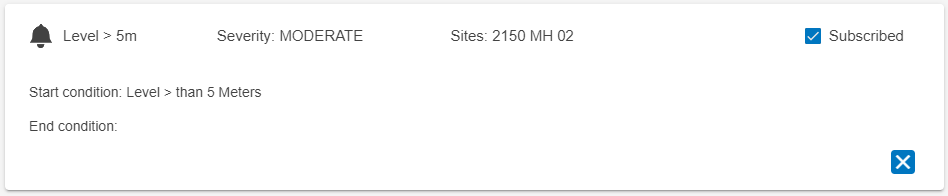
The following additional information is displayed:
• Start Condition: The level or state of data that triggers the start of an alarm.
• End Condition: The level or state of data that signifies when the alarm is no longer active.
2. Click the Subscribed check box to toggle notifications on or off.
The Alarm Settings page also provides tools to define a new alarm.
3. Click the New Alarm button to configure a new alarm.
The Configure Alarm page is displayed. See Configure New Alarm for information on this page.
Related topics:
• Alarms