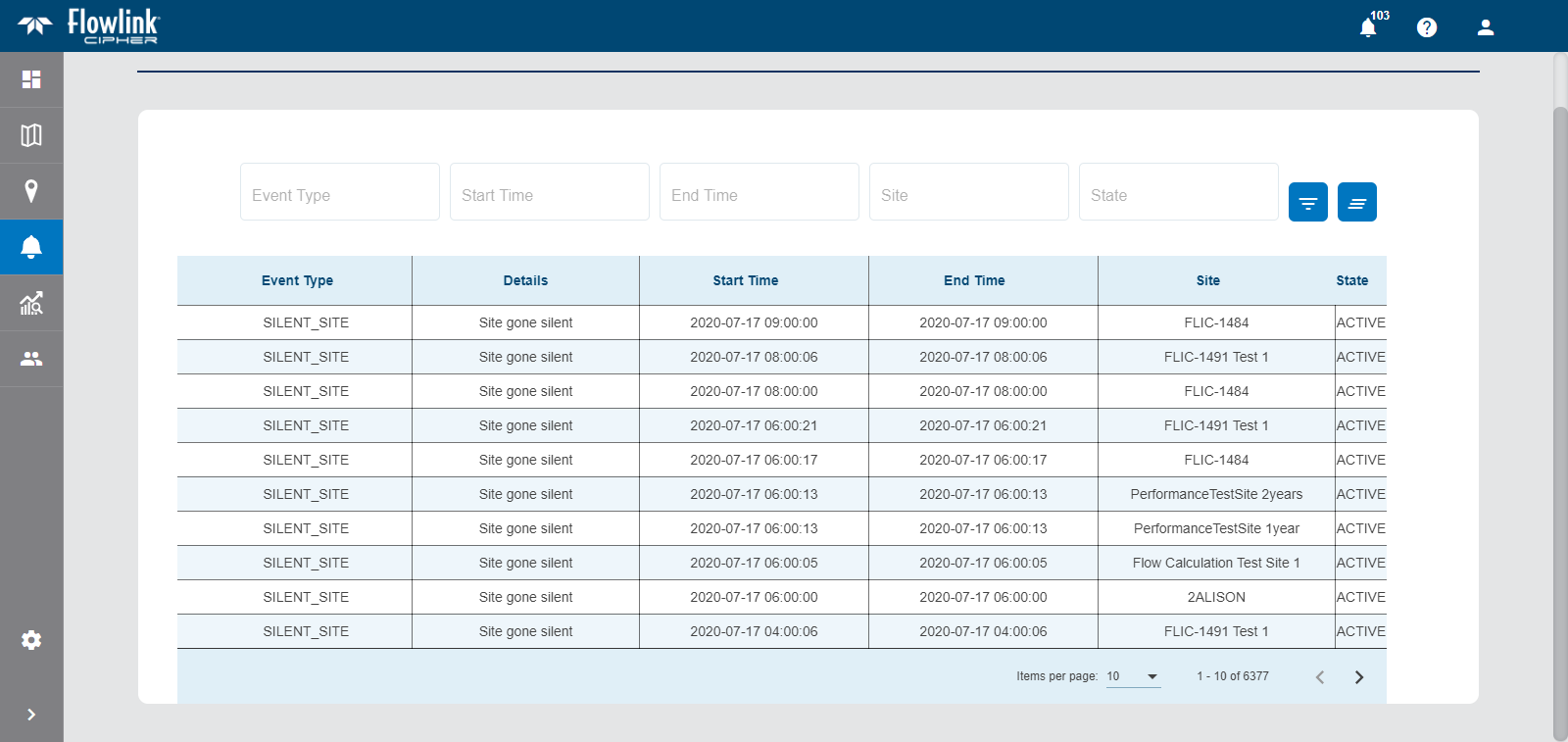
The Alarms List screen shows a list of all alarms that have been triggered when predefined conditions are met in the data ingested from a site, as well as events that have been broadcast from a device at a site.
The list of events includes:
• The type of event that occurred.
• A message with details about the event.
• The start and end times of the event.
• The site that triggered the alarm.
• The state of the event. The possible states include:
• Active, which signifies that the alarm is new or the trigger is still occurring.
• Acknowledged, which signifies that the event has been viewed and acknowledged.
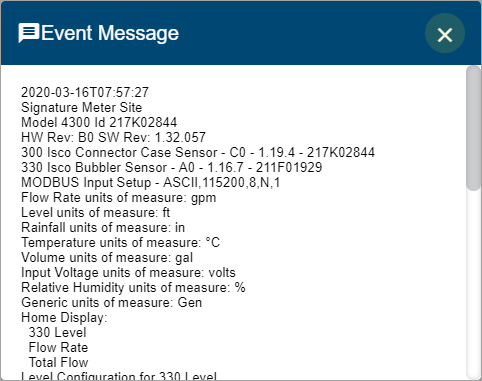
Clicking an item in the list will display a dialog box containing information about the selected event.
Alarm List Navigation
The Alarms list displays a maximum of 10 items by default. This limit can be changed using the Items per page control below the list. Navigation options also appear below the list when the number of items exceeds the set limit and more pages are needed. This control reports the total number of alarms in the complete list and the number of alarms in the current page of the list.
1. Select an option from the Items per page drop-down list.
2. Click the Next or Previous arrow to view a different page of alarms.
Alarm List Filter
The fields above the list can be used to specify criteria to filter the list. To apply a filter:
1. Select a value from the relevant field(s).
2. Click Filter Events  .
.
The list will be filtered to only include events that match the specified criteria.
The Clear All Filters button  can be used to remove the filter and return to the full list of events.
Related topics:
• Alarms