 CARIS HPD Paper Chart Editor
 CARIS HPD Paper Chart Editor
CARIS HPD Source Editor
CARIS Paper Chart Composer
Menu | Create > Annotations > Link |
Create an annotation by associating a cartographic feature to a superselected feature.
The feature that is used as an annotation must contain the User Defined Annotation Indicator ($usrdef) attribute.
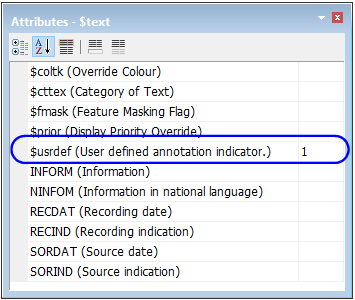
Cartographic features can be edited dynamically using the Edit Cartography command. See also Dynamic Cartography in Portrayal.
Related commands:
• • | • |
Procedure
1. Select the feature to be annotated.
Make sure this is the superselected feature.
2. Select the feature to be used as the annotation.
This is usually a text feature.
3. Select the Create Annotation Link command.
The selected feature is applied as an annotation to the superselected feature. The result is shown in the Output window. The $usrdef attribute is automatically set to 1 (Manually Created Annotation) when this command is applied.