 CARIS HPD Paper Chart Editor
 CARIS HPD Paper Chart Editor
CARIS Paper Chart Composer
Menu | Create > Image > Snapshot From File |
Insert a snapshot of text from a selected file. Both text and image files can be used as sources for snapshots.
Related commands:
• | • |
Interface
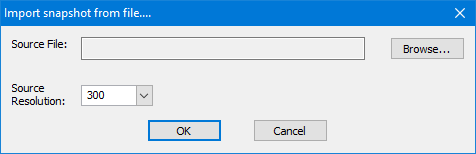
Option | Description |
|---|---|
Source File | The image file. Click Browse to select the file. |
Source Resolution | The resolution of the image. Select from the list. |
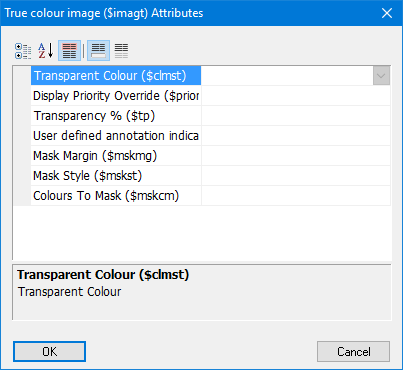
Property | Description |
|---|---|
Transparent Colour | Colour set to transparent |
Display Priority Override | Override the default display priority of the feature. This determines if a feature is drawn on top of or beneath another feature. Priority value is between 0 and 30. Features with a priority of zero are drawn first, features with higher values are drawn on top. |
Transparency % | Percentage value for transparency. |
User defined annotation indicator | Indicator for manually created annotations |
Mask Margin | Size of the margin or buffer that is used to mask features. |
Mask Style | The style of masking. |
Colours to Mask | List of colours to which masking is applied. |
Procedure
1. In the Layers window, select a Panel data layer.
2. Select the Create Image Snapshot command.
The Import Snapshot From File dialog box is displayed.
3. Select an image and resolution.
4. Click OK.
The True colour image Attributes dialog box is displayed.
5. Set the attribute values to use for the image.
6. Click OK.
The snapshot image of the file is displayed in the centre of the Display window. See example below.
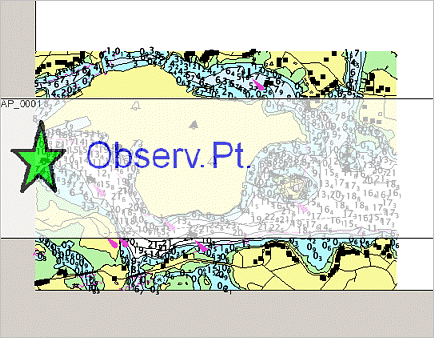
7. [Optional] Move and resize the snapshot.
• To move the image, position the pointer inside the image, press and hold the mouse button and move the image.
• To resize the image, position the mouse pointer over the border of the image, press and hold the mouse button and use the handles to resize.
The snapshot is moved and repositioned.
You also can add control points and choose a transformation type for the snapshot image using the Registration command.