 CARIS HPD Publications Module
 CARIS HPD Publications Module
Menu | File > Open > Catalogue |
Tool | |
Open an existing catalogue.
You can either open the currently active catalogue or choose from catalogues that have been created and saved in the system.
Related commands
• • | • • |
Interface
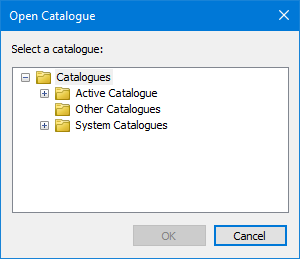
Option | Description |
|---|---|
Select a catalogue | List of available catalogues. Click the + icon to view the lists: • Active • Other • System |
Procedure
1. Select the Open Catalogue command.
The database dialog box is displayed.
2. Complete the Username, Password and Database fields.
3. Click OK.
The Open Catalogue dialog box is displayed
4. Click the + icon to view the appropriate list.
5. Select a catalogue.
6. Click OK.
The catalogue is displayed in the Object Browser window.
