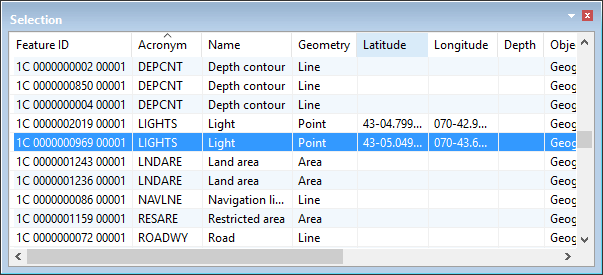
The Selection window lists information about selected features.
It contains the following information for each selected feature:
Column | Description |
|---|---|
Feature ID | Feature object identifier (unique reference). |
Acronym | Six-character code used to define the feature object type, such as BERTHS for a feature object which represents a Berth. |
Name | Brief text description of the real-world feature. |
Geometry | Line, point, area or sounding. |
Latitude | Latitude position of the point or sounding. |
Longitude | Longitude position of the point or sounding. |
Depth | Z position of a sounding. |
Object Type | Geographic, Cartographic, Meta and so on. |
Attribute Status | Under Construction, Not Verified, Verified or Rejected. |
Representation Status | Under Construction, Not Verified, Verified or Rejected. |
Area | Total area of an area feature. Units are set in the Display Units of the Options dialog box. The Area Type must be set to Planimetric to display area units. |
Length | Length of a line feature. Units are set in the Display Units tab of the Options dialog box. |
Right-click on a column heading to display column setting commands.
• • |
Right click on a data row to display selection commands.
• • • • • | • • • • |