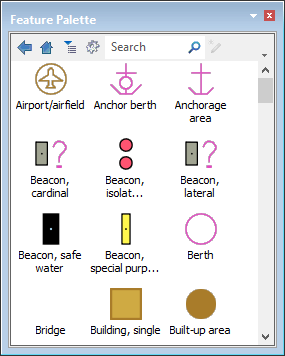
The Feature Palette displays features as symbols. The symbols can represent features in the catalogue or features that have been added or modified through the Feature Palette itself.
In the Feature Palette, you can create groups of features that you digitize frequently, or you can associate features with other features and digitize them as though they were a single feature.
Feature Palette tools are:
Tool | Description | |
|---|---|---|
| Go up one level in the palette structure. | |
| Go to the top level in the palette structure. | |
| Sort features alphabetically. | |
| The feature palette menu: • New • Palette • Group • Feature • Save • Save as • Add Accessories • Load • Selection • Catalogue • Active Portrayal |
• View • List • Icons • Large icons • Print Features • Export Features |
| Search the palette. Wildcard characters such as * and ? can be used. | |
| Digitize a selected feature in the palette to the active layer. | |
Related commands
• • • • • • • | • • • • • • |