CARIS HPD Paper Chart Editor
 CARIS HPD Paper Chart Editor
CARIS HPD Product Editor
CARIS HPD Source Editor
CARIS S-57 Composer
CARIS Paper Chart Composer
Menu | Tools > Coverages > TIN > Digitize Hole |
Tool |
|
This command is only available if the Bathymetry Compilation module is enabled. See Modules for further information |
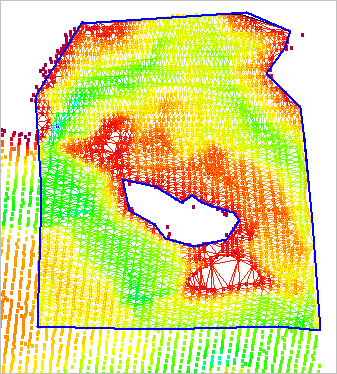
Create hole objects in a TIN. If your data crosses areas of land, or other areas without data, you can use a hole object to cut these areas from the TIN.
You can create multiple holes on a single TIN as long as they do not overlap.
Procedure
1. Make the TIN Editor layer active and visible.
2. Select the Digitize Hole in TIN command.
3. Place the first vertex for the new hole.
4. Continue adding vertices until the object surrounds the area you wish to remove from the TIN.
The default line type is point to point, but you can select any other line type from the pop-up menu. You can also use the Grab command to use the geometry of another feature such as a land area. |
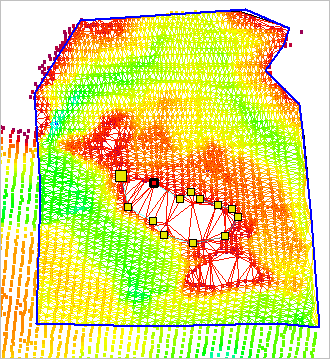
This is an example of a line object surrounding the desired area for the TIN.
5. When the line is complete, do one of the following:
• Press the <Home> or <End> key.
• Right-click and select Close Area.
The new hole is added to the display but is not yet cut from the TIN. Use the Update TIN command to cut the TIN once you are satisfied with the placement of the hole.
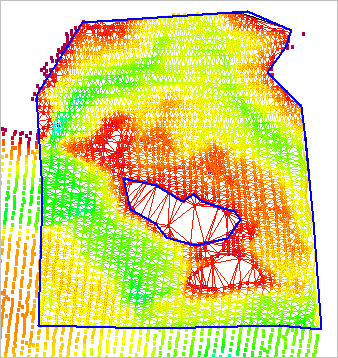
When you update the TIN, the area covered by the hole is removed.