When there is more than one sound velocity profile, HIPS and SIPS can use one of four options for selecting an SVP at the time of each swath:
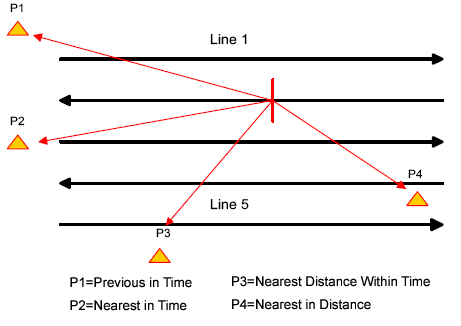
• Previous in Time: Select the profile with a time stamp prior and nearest to the time of the swath.
• Nearest in Time: Select the profile with a time stamp nearest to the time of the swath. This can either be prior to or after the time.
• Nearest in Distance: Select the profile with a position nearest the position of the swath. This requires that positions be included in the SVP file.
• Nearest Distance Within Time: Select the profile with a position nearest to the swath and has a time stamp nearest the time of the swath within a selected range.
• If this option is selected, a range value in hours must be set.
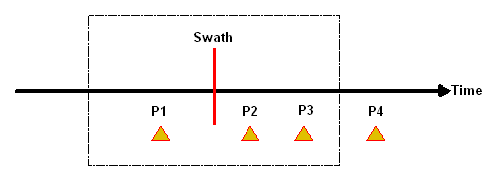
The following diagram demonstrates the relationship of the profile options to the time/location of the swath.
P1, P2 and P3 all are calculated within a time period. P4 is calculated independently of the time period.