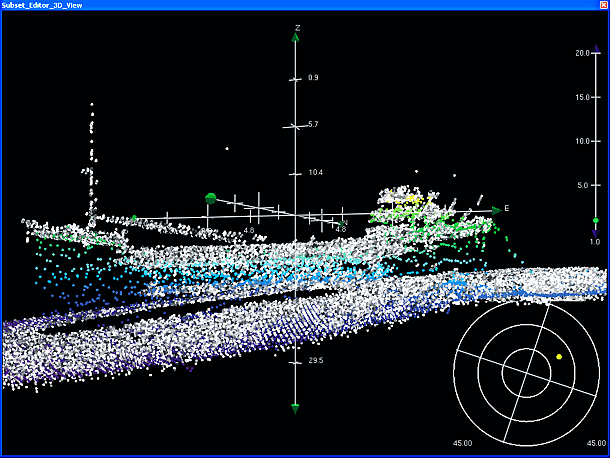
In Subset Editor, WCI data is loaded as a temporary 3D point cloud. Data can be filtered by intensity as well as by a minimum slant range at nadir. WCI data in Subset Editor can also be added to the Additional Bathymetry layer and processed in the standard bathymetry workflow.
To open water column data in Subset Editor:
1. Define and load a subset of the data. (For information on loading a subset see, Load Subset.)
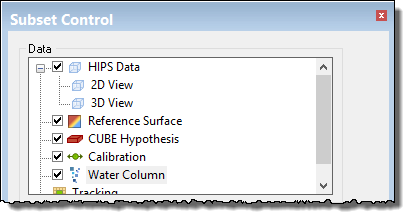
2. In the Subset Editor data tree, select the Water Column layer.
The editor is refreshed to display the controls for loading and unloading WCI data, filtering by depth, slant range, and intensity.
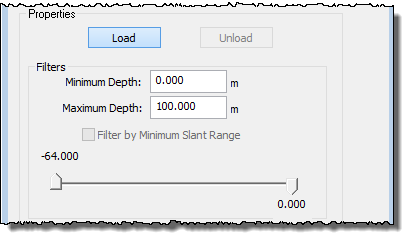
3. [Optional] Set a range of depths to load using the Minimum and Maximum Depth fields.
Applying a minimum slant range filter will load only the strong echoes and minimize background noise. Background noise within the minimum slant range has a backscatter strength of lower than -64 dB. Therefore it is logical to load only those data points which have a stronger echo than - 64 dB.
This option is turned off by default.
To set slant range filtering:
4. Select the Filter by Minimum Slant Range check box.
Water column data can be filtered by intensity values, so that only data within the set range is displayed. This filter is the same as in Swath Editor. Settings are retained so that the same filter range can be applied in both editors.
To filter the data:
5. Use the sliders to set a filter range between -64.000 dB and zero.
6. Click Load.
The face of the Load button shows the loading progress. Loading can be cancelled by clicking the Cancel button.
When the data is loaded, the button label is changed to Open.
7. Click Open to display the data in the Subset Editor windows.
The image below shows WCI data displayed in the Subset Editor 3D view: