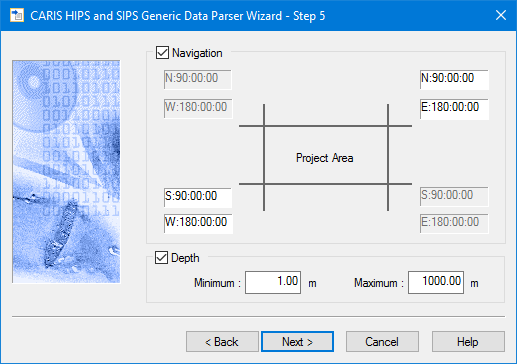
In this dialog box you can reject extremely large errors in the recorded navigation and depth data.
Navigation and depth filters can be applied during conversion with the following steps:
1. Click the Navigation check box to enable the navigation filter.
2. Enter coordinates in the boxes to define the area:
3. Click the Depth check box to enable the depth filter.
4. Enter the minimum acceptable depth.
5. Enter a maximum acceptable depth.
6. Click Next.