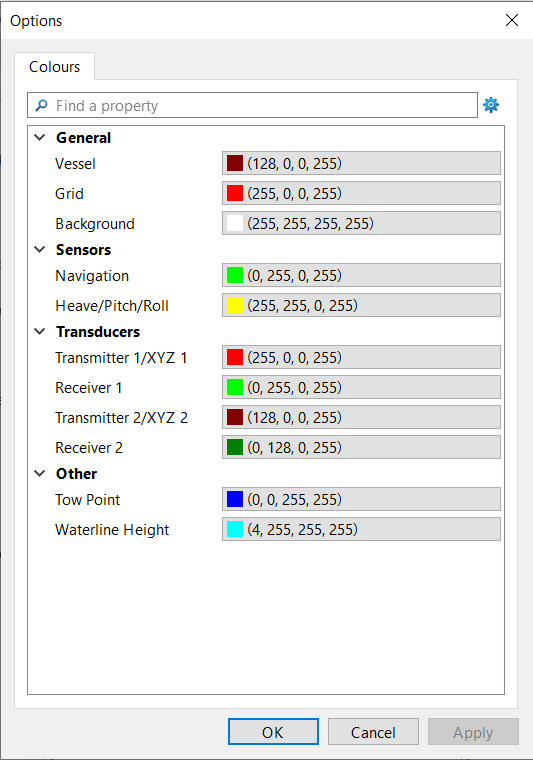
The Colour Options let you change the colours used in the 3D Display and the Vessels window.
Change colours
To change the colour of a component:
1. Select the Options command.
Menu | Tools > Options |
The Options dialog box is displayed.
Alternatively, you can open this box by right-clicking on a component in the Vessels window and selecting Options. In this case, the box only shows that one component.
2. For each interface component, select a colour from the pull-down palette, or create a custom colour from the standard Windows colour picker.
3. Click OK to activate the changes and close the Options dialog.