Menu | Tools > Features > Update Critical Soundings |
Pop-up | Update (Critical Soundings layer in Layers window) |
If changes are made to the Critical Soundings layer, the icon for that layer will indicate that the layer is outdated. The status for the soundings can be updated using the Update Critical Soundings command.
See also:
Interface
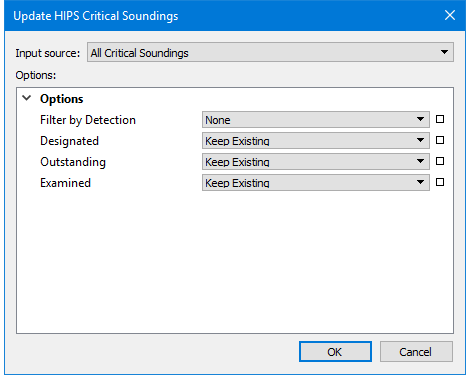
Updating the critical soundings uses the Update HIPS Critical Soundings dialog box:
Option | Description |
|---|---|
Input source | All Critical Soundings |
Options | |
Filter by Detection | Select the method to used to designate a critical sounding: • Manual - flagged as critical by user • Automatic - flagged as critical by an automatic filter process |
Designated | Select the flag to change the status of the Designated sounding(s) to. The default is to keep the existing flag |
Outstanding | Select the flag to change the status of the Outstanding sounding(s) to. The default is to keep the existing flag. |
Examined | Select the flag to change the status of the Examined sounding(s) to. The default is to keep the existing flag. |
To update:
1. Right-click the Critical Soundings layer in the Layers window.
2. Select Regenerate from the menu.
The critical soundings are updated.