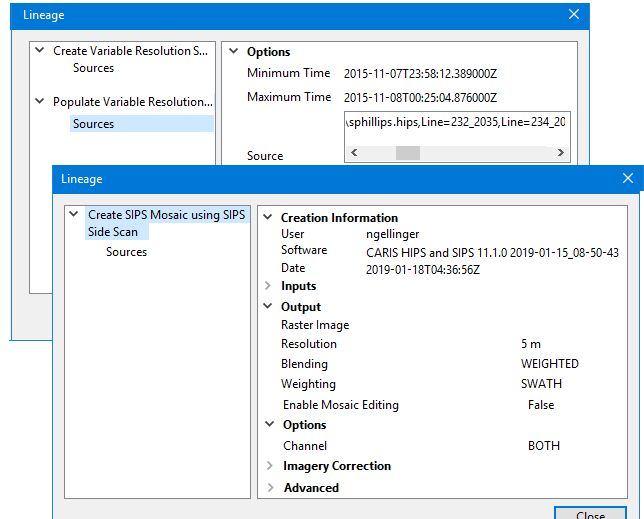
Lineage information for any CSAR file is available in a property in the Properties window. A Lineage window displays every operation that has been run to create the selected CSAR in its current form, the source data and parameters used.
The Lineage window is launched from the Lineage field in the Properties window when you have a CSAR selected in the Project window. The window may display information such as time stamps, option settings, inputs and outputs, imagery correction, user names, and the software used to create the surface as in the following examples.
This information is read-only.
Procedure
1. Open a CSAR surface.
2. Select the parent layer of the surface.
3. Open the Properties window.
4. In the Lineage field, click the ... (Browse) button to open the Lineage window.
Information for the surface and its sources is displayed.