Menu | Tools > Editors > Catalogue Editor |
The HIPS Catalogue Editor displays the feature objects and their attributes which are used in HIPS and SIPS.
These objects and attributes are listed in the default HIPS and SIPS Feature Catalogue, and are read-only system items. However, you can add new side scan contact objects to the list, and add and edit custom attributes for feature objects.
HIPS and SIPS Features.catalogue is the default HIPS catalogue and is saved in ...ProgramData\CARIS\HIPS and SIPS\10.0\System.
A copy of this file can be used as a template, and the modified copy can be saved as a *.catalogue file.
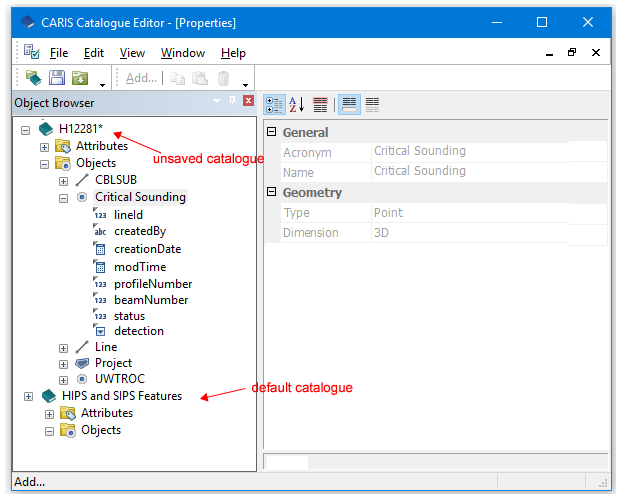
In Catalogue Editor attributes and objects are displayed in the Object Browser window, and the properties of a selected object or attribute in the main window.
The top layer in the Object Browser displays the name of the file containing the currently open catalogue. The image above shows two open files: a *.hips file and the default catalogue.