In the lower image below, the view is zoomed in to the point that only the port side date is visible.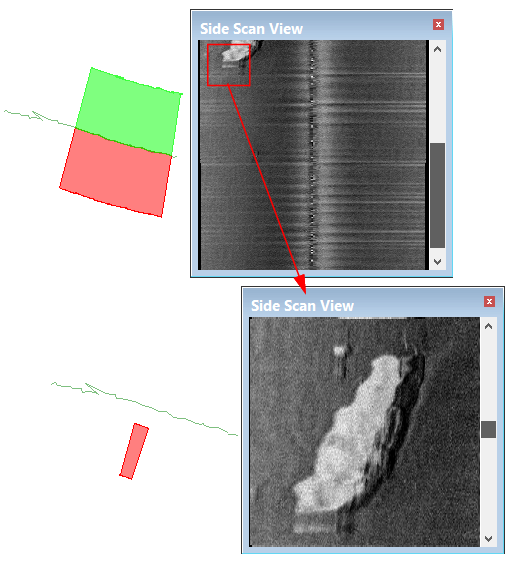
Menu | Tools > Editors > Side Scan > Zoom |
Magnify an area in the waterfall display using the Zoom tools:
• Zoom to an Area
• Zoom In
• Zoom Out
As the data in the zoomed area of the Side Scan View is magnified, the coverage outline in the Display window (which indicates the location of the data in the View) becomes smaller. When zooming out, this is reversed.
In the lower image below, the view is zoomed in to the point that only the port side date is visible.