.
The SCAMIN attribute from Source features can be used to restrict the features that are included in a paper chart product in the database.
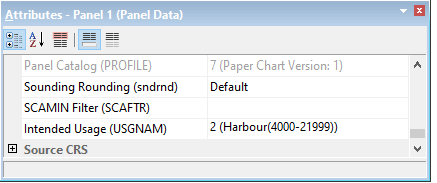
“SCAMIN Filter” can be found as a property of HPD paper chart panels. When a value is set for the filter, only source features with SCAMIN attributes at the same value or higher are included in a panel. The SCAMIN Filter attribute is optional. If no SCAMIN Filter is set, then the filter is ignored
.
To set the SCAMIN filter during creation of a panel, see New Panel
After the creation of a panel, the SCAMIN filter can also be set or adjusted.
Procedure:
1. Open an existing HPD paper chart product.
2. Select a Panel Boundary layer and view the Attributes.
3. Add or Edit the SCAMIN Filter as required.
4. Save and Close the Product
5. Re-Open the HPD Product
6. Tools > Compare Product to Source
• Source features with a SCAMIN smaller than the specified value are listed as Deleted objects.
• Source features with UNDEFINED SCAMIN values are never excluded.
• Note: If you select the objects from the CPS Deleted layer, you see the SCAMIN values of those objects as they were in the product (not the new value from source).