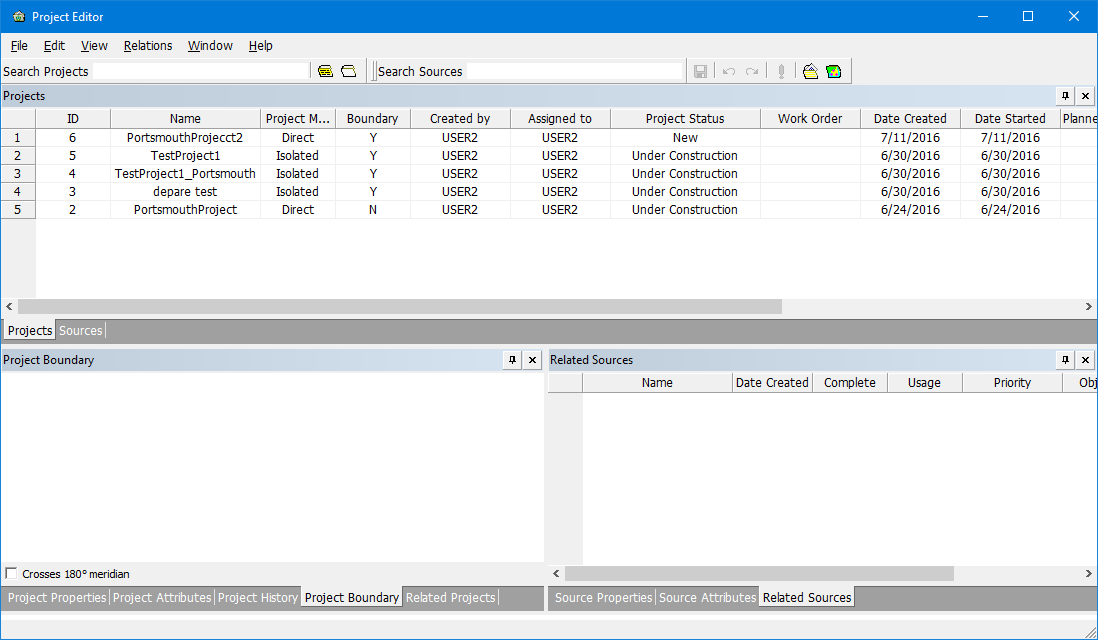
Project Editor is an administration application that is used to create and manage project workflows. The Project Manager role is required for most project functions, although specific users can change project statuses in the workflow. Project Editor displays all projects created by or assigned to the current user and lets you modify the properties and attributes. You can also:
• Create new projects
• Create new sources for projects
• Associate sources to projects
• Relate projects to other projects
• Delete existing projects.
All active projects associated with the database are listed in the Projects window in Project Editor.
You can change the order of the rows by clicking a column heading. An arrow beside the column heading indicates the direction of the sort.
The entries in the Projects window are read-only. When you select a row, the other windows in Project Editor display information on the selected project. You can edit values in these windows.
If Project Editor and Source Editor are both open, then a project selected in Project Editor cannot be opened in Source Editor. |
Project Editor commands:
• • • • • • | • • • • • |