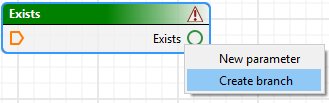
This conditional tool splits an output path based on a Boolean value. Branch tools can be connected to the Exists process, by selecting the Create branch command from the right-click menu on the Exists tool.
Identical orange pentagonal icons indicate both a condition on the process tool and the outputs of a branch.
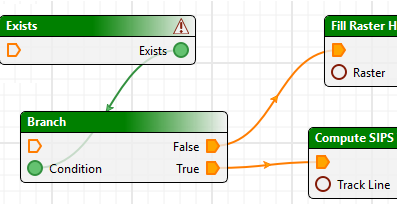
The orange connecting lines linking this distinct type of connections distinguish them from the green lines connecting process to process.
When you run the process model, any inputs that rely on the unselected option are disabled so that you do not need to set them.