Menu | View > Refresh |
Tool |
|
Key | <F5> |
You can determine which profiles have been applied to lines by turning on the Colour by SV Profile property. This is located in the line properties for project.
To view the profiles that have been applied in SVC:
1. Select the Ship Track Lines layer in the Layers window.
2. Open the Properties window.
3. In the Colour by field, select SV profile from the drop-down list.
4. Click Refresh.
Menu | View > Refresh |
Tool |
|
Key | <F5> |
The track lines will display a colour for each cast, as below: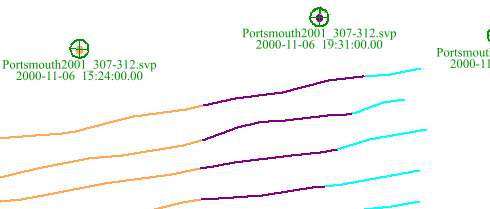
If the SVP values are not displayed, check that a colour set for SV Profile is not set to the same colour as your Display window background.
