The column on the right displays additional information for the process selected in the left-hand column. This information is listed by category and can be sorted alphabetically using the tool button.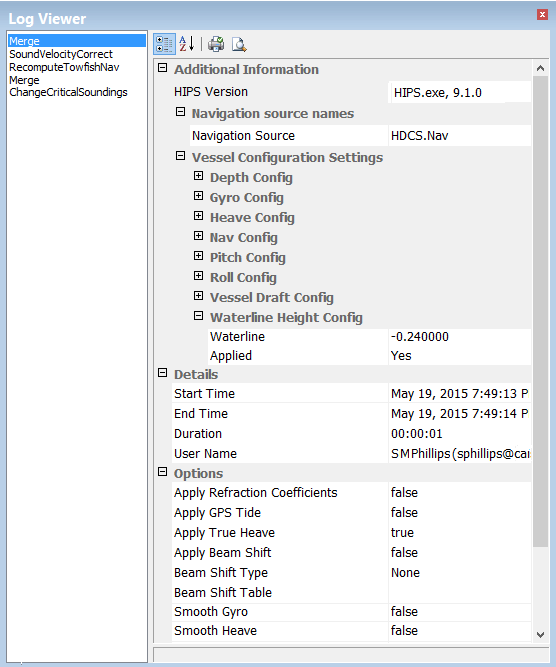
Records of the processes applied to lines of data are automatically saved to an XML LogFile that is created in the folder for each line. The process log for a super-selected line can be viewed in the HIPS Log Viewer window.
Processes that have been applied to the selected line are listed in the left-hand column in chronological order, with the earliest applied process at the top of the list and the latest applied process at the bottom of the list.
The column on the right displays additional information for the process selected in the left-hand column. This information is listed by category and can be sorted alphabetically using the tool button.