Menu | Tools > Editors > Swath > Swath Editor > 3D View |
Tool |
|
Menu | Tools > Editors > Swath > Swath Editor > 3D View |
Tool |
|
Swath data can be displayed in 3D format. The 3D feature provides greater flexibility for examining and cleaning data.
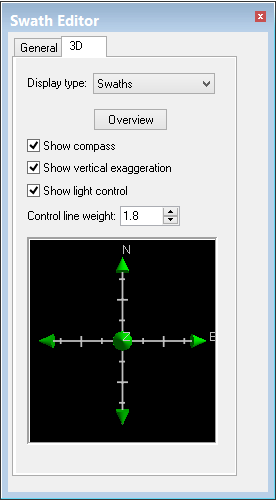
The 3D View window is displayed in Swath Editor. This 3D display is manipulated by three controls on the 3D View tab of the Swath Editor tab in the Control window. These controls are:
• the compass Compass
• the vertical exaggeration slider Vertical Exaggeration Slider
• the light control. Light Control
The line thickness of these controls can be altered by changing the Control line weight value in the 3-D View tab.
Procedure
1. Select the 3D View tab.
2. Set desired display options
