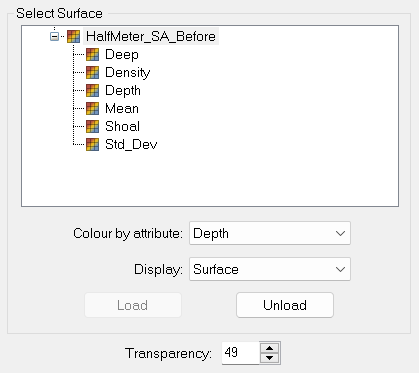
The Reference Surface node provides properties for displaying a reference surface in the Subset 3D View.
Option | Description |
|---|---|
Colour by Attribute | Although the Depth attribute is used to display the surface, you can colour the surface by another attribute by selecting that attribute from the drop-down list. |
Load/Unload | Display the reference surface band selected in the 2D and 3D View windows using the settings selected. |
Display | Display the surface as points, wire frame or a complete surface. |
Transparency | Set a level of transparency for the surface using the up and down arrow buttons. |