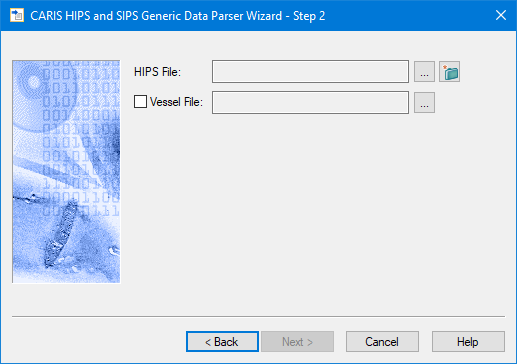
If you are creating new survey lines, you must select or create a HIPS file. As well, you may need to select a Vessel file (HVF).
1. Click the Browse button to navigate to the desired HIPS file.
2. Select the file name and click Open.
The HIPS file name will be displayed in the field.
To create a new HIPS file:
1. Click the New HIPS file button  to open the New HIPS File dialog box.
2. Type a name for the new HIPS file in the Name field.
3. In the Location field browse to the folder where you want to save the new file.
4. [Optional] Click the blue Show Options arrow to set other options.
5. Click OK.
To use data from a related vessel editor file:
1. Enable the check box for the Vessel file field.
2. Click Browse to set the location of the vessel file.
3. Click OK.