Changes made in proposed raster sets can be viewed using two methods:
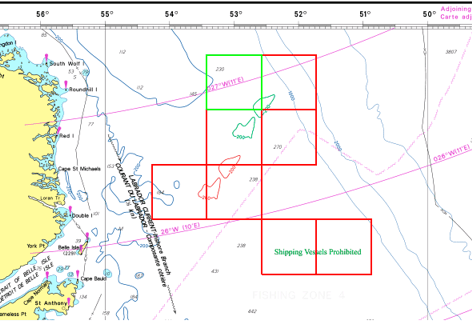
• highlighting additions and deletions using colour coding
• displaying change cells to highlight locations on the chart where changes have occurred
Colours for deletions/additions and change cells are set in the Raster tab of the Options dialog box.
The Compare Chart and Compare File commands select which reference charts or files are to be compared with the proposed chart. Commands for highlighting changes – such as change cells or toggling additions and deletions – are active after these commands are applied.
An example is shown below of change cells and highlighted changes.
Change cells can be applied to an entire raster set or to selected raster layers.
Related commands:
• • • • | • • • • |