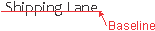
Element | <CurveText> | |
Description | The geometry of the associated feature or dynamic graphic element (e.g.arc) is used as the reference curve for the text. The text follows the curve. The position of the text extent is defined using the offsets and placement information. Sub elements allow the text to include multiple styles and strings. The curve text object may contain a sequence of elements used to construct the text to be displayed. The sub elements are made up of one or more Style elements as defined under PointText. | |
Example | • The text is value of the • Text is fitted to the middle of the curve with no offset.The font is Arial with at 7 point and the colour is black. | |
DCLIGHTS.xsl | <CurveText xPlacement="Middle" yPlacement="Middle" xOffset="0" yOffset="0" > <Style font="Arial" colour="Black" size="7" > <String> <xsl:value-of select="$colourLabel"/> </String> </Style> </CurveText> | |
Instruction Set | <CurveText xPlacement="Middle" yPlacement="Middle" xOffset="0" yOffset="0"> <Style font="Arial" colour="Black" size="7"> <String>R</String> </Style> </CurveText> | |
Attributes | ||
Name | Type | Description |
xPlacement | Enumerated | Status: Optional. This attribute indicates how the text is fitted to the curve. Three values are available: • • • The text will be reversed or flipped to keep the text readable so Default is |
yPlacement | Enumerated | Status: Optional. Available values: • • • • If text is along a line and |
xOffset | Floating Point | Status: Optional. This attribute shifts the Default is 0. |
yOffset | Floating Point | Status: Optional. Perpendicular offset from the tangent of the line. The units are mm at display scale. The curve text object may contain a sequence of elements used to construct the text to be displayed. The sub elements are made up of one or more Style elements as defined under PointText. Default is 0. |
Style | String | A container of strings which will be represented using a style definition: • • • • • • |