 CARIS HPD Source Editor
 CARIS HPD Source Editor
CARIS HPD Product Editor
CARIS HPD Paper Chart Editor
CARIS S-57 Composer
CARIS Paper Chart Composer
Menu | Edit > Features > Intersect |
Cut selected areas and lines at intersections with other features.
• Area features are split into new features with new feature object IDs. The original area is placed in the Deleted Features layer if applicable, for example, if it is on an HPD usage.
• Line features are split into multiple edges but retain the original feature object IDs.
Intersected features retain any relations that existed previously, such as collections or VPF notes.
In this example, if you select one large area and a line like this:
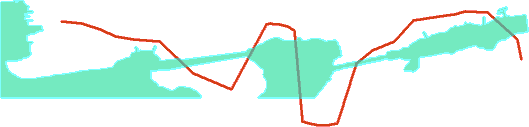
The area will be divided into six smaller areas. Nodes will be added to the line at every intersection point but the line will not be divided.
The results are shown in the Output window.
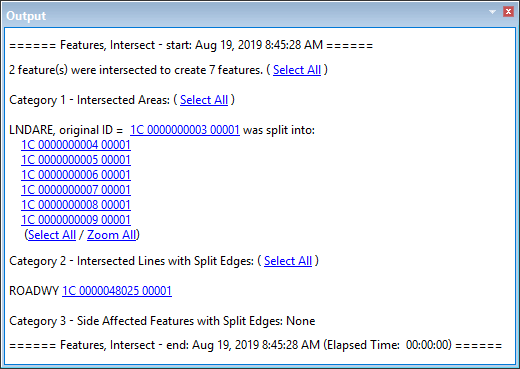
More than one feature must be selected and features must overlap or touch each other.
The edges of adjacent features that were not selected will also be changed if the Shared Edit command is active.
This command cannot be applied to self-crossing lines.
Procedure
1. Select two or more area or line features.
2. Select the Intersect Features command.
The selected features are intersected.